

Only a minority of UK sites can assume they're already passing. Oxford Web Services' UK benchmark summary reported that roughly 29% of UK sites still failed Core Web Vitals, despite median main content loading of 1.8 seconds on mobile and 1.6 seconds on desktop. That's the right starting point for learning how to improve website performance. Don't chase a perfect score on every page. Find the slow journeys that lose enquiries, bookings and sales, fix those first, and prove the gain in real visitor data.
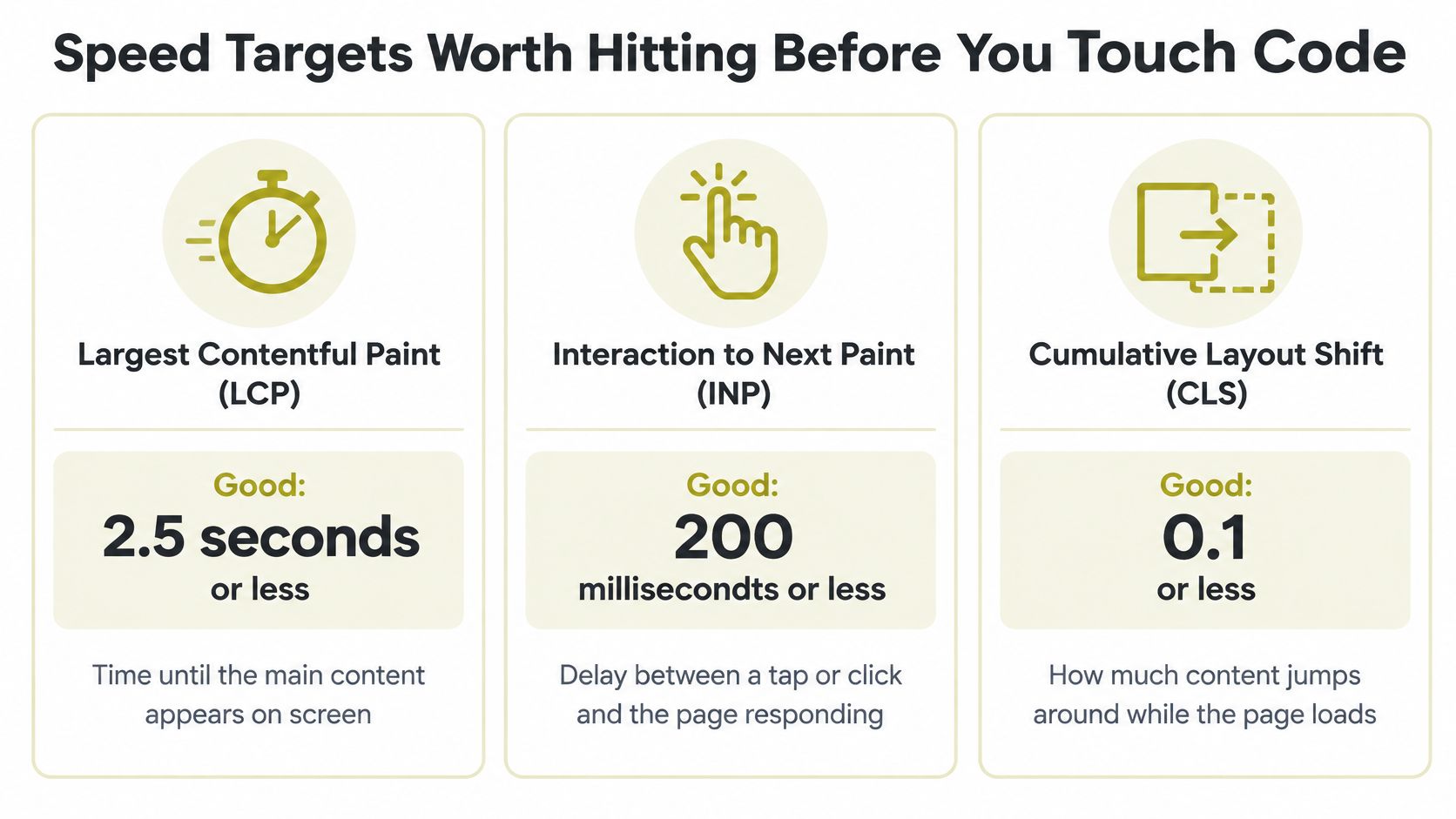
Speed Targets Worth Hitting Before You Touch Code
Google's UK mobile speed playbook reported that 75% of UK users considered page loading speed the factor with the greatest effect on their overall online experience, and 65% of UK adults identified a smartphone as their primary way to go online. Few UK small business sites currently pass both mobile thresholds for main content loading and layout stability, so a score that feels acceptable is not evidence of anything. Agree three targets before anyone changes code, buys hosting or installs another plugin.
Largest Contentful Paint, or LCP, measures when the main content appears. Interaction to Next Paint, or INP, measures the delay between a tap or click and the visible response. Cumulative Layout Shift, or CLS, measures how much content unexpectedly moves while loading. That last one deserves a second look on checkout and enquiry pages: a button that jumps as the page loads causes missed taps and real accessibility barriers, and it loses money on the pages that matter most.
Mobile is the benchmark. A fast result on office WiFi and a powerful laptop tells you little about a customer on a mid range phone over 4G, and that customer is the one deciding whether your enquiry form gets used.
| Metric | What it measures | Good target | Typical cause of failure |
|---|---|---|---|
| LCP | Time until the main content appears | 2.5 seconds or less | Oversized hero image, slow server response |
| INP | Delay from tap or click to visible response | 200 milliseconds or less | Heavy JavaScript, third party tags |
| CLS | Unexpected movement of content during load | 0.1 or less | Images, ads or embeds without reserved space |
| Mobile Lighthouse score | Overall lab score on a simulated phone | No fixed pass mark; watch for drops between releases | Unoptimised images and scripts |
| Mobile main content load | Time to load the main content on a real phone connection | 2.5 seconds or less, the same bar as LCP | Slow 4G conditions, uncached first visits |
Once you've set those budgets, work through the practical performance fixes from Otter A/B against your own failing templates rather than applying every suggestion sitewide. Prioritise the templates that carry your revenue journey: product and service pages, booking forms, checkout. A blog post can wait. Write the three thresholds and your current mobile scores in one shared line before opening any tool.
Practical rule: I'd start with the cheapest fix that moves a failing metric on a revenue page, not the fix that produces the prettiest lab report.
How to Run a Baseline Audit in One Afternoon
You don't need a week of discovery to get a usable baseline. You need a short list of important URLs, consistent test conditions and one shared record. Skip the temptation to test every blog post before you've checked the pages that produce income.
The audit sequence below moves from page selection to evidence you can rank and act on.
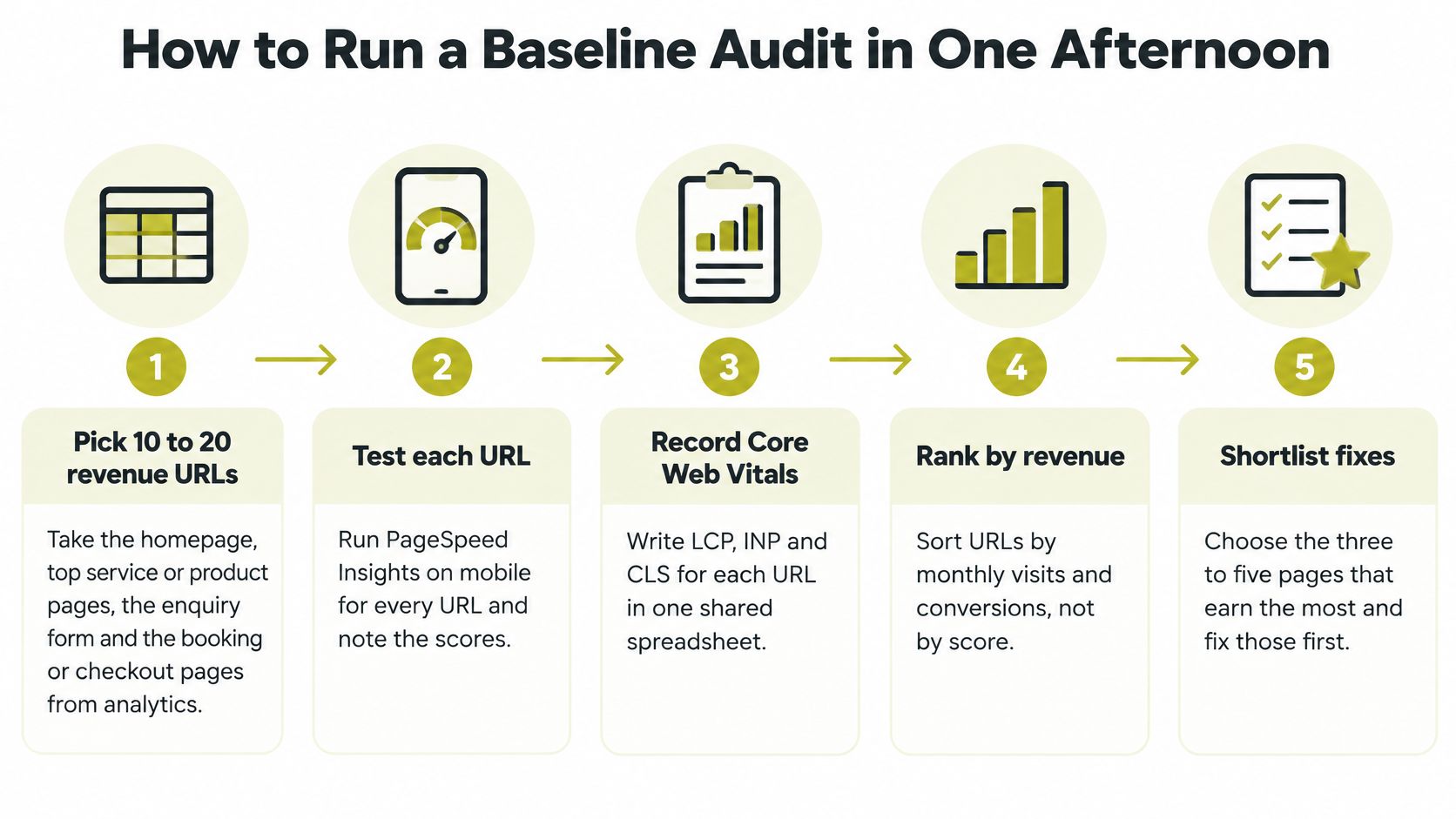
- List 10 to 20 revenue URLs: Take the homepage, top service or product pages, enquiry form and booking or checkout pages from analytics. These pages show whether performance affects money, not just traffic.
- Run PageSpeed Insights on mobile: Test each URL and record LCP, INP and CLS from field data where available. Field data reflects real visitors, while the lab result helps you diagnose causes.
- Check Search Console: Open the Core Web Vitals report to see failing URL groups. A template level failure usually deserves attention before one unusual page.
- Run Lighthouse in an incognito window: Use Chrome DevTools for repeatable lab results and its opportunity list. Incognito mode reduces interference from extensions and cached files.
- Test the worst pages in WebPageTest: Choose a mid range Android profile on slow 4G for two or three priority URLs. Read the waterfall for the first blocking request and identify the largest element.
- Count third party scripts: Record each vendor and its transfer size, including consent managers, chat widgets and analytics bundles. These are often added for business reasons but rarely reviewed for interaction cost.
- Record everything in one sheet: Use columns for URL, device, metric, value, date, visits and conversions. That last pair stops the team ranking purely by technical score.
Make the Results Comparable
Lab scores vary between runs because simulated networks and processing conditions aren't perfectly stable. Run each important test three times and use the median, then keep the device and network profile unchanged for later comparisons. A single lucky score isn't a baseline.
This short walkthrough shows how the testing tools fit together before you compare their limits in the table.
| Tool | Best for | Cost | Limitation |
|---|---|---|---|
| PageSpeed Insights | Quick mobile check of one URL, with field data | Free | Field data appears only with enough real visitors |
| Search Console Core Web Vitals report | Groups of failing URLs across the site | Free | Uses rolling 28 day field data, so fixes show slowly |
| Lighthouse in Chrome DevTools | Repeatable lab audit with fix suggestions | Free | Simulated conditions; scores vary run to run |
| WebPageTest | Waterfalls, filmstrips and real device and network profiles | Free tier; paid plans for more tests | Steeper learning curve |
| Chrome UX Report dashboard | Field trends over months for your domain | Free | Needs enough Chrome traffic to appear |
| Real user monitoring script | Field data for every visitor, by device and page | Paid, usually tiered by traffic | Adds its own script, so measure its cost |
Don't buy monitoring software until the spreadsheet proves you'll act on the results. Free tools are enough to find the first expensive problems on most small business sites.
Ranking Pages by Revenue Before Fixing Anything
Fixing the lowest scoring page first sounds disciplined. It's often a poor use of a limited budget. A slow archive page with few visits matters less than a moderately slow checkout, booking step or enquiry form used by people who are ready to act.
The commercial risk is clear in Ecommerce News UK's report on the YouGov survey, which found that 88% of UK adults had abandoned an online purchase because a website took too long to load, while more than 65% identified payment and checkout pages as the most frustrating slow loading areas. Homepage scores don't capture that friction.

Say a guesthouse homepage shows its main content in 1.9 seconds, but its third party booking widget takes six seconds to become usable. I'd fix the booking step first, even if another page has a worse score. The visitor at the booking stage has chosen dates and is close to paying, so delay there carries a direct cost.
Rank each journey with a simple estimate. Multiply monthly visits by conversion rate by the value of one conversion, then judge the likely development effort. A high value page with a straightforward image or script fix beats a low value page needing a rebuild. If you need to clarify the conversion measure for your own site, start with what website conversion means in practice and apply one definition consistently.
Three Tests for Every Page
Apply these questions before approving work:
- Does it earn: Does the page directly produce sales, bookings, calls or qualified enquiries?
- Is intent high: Has the visitor already searched, compared, selected a product or started a form?
- Is the delay blocking action: Does the slow image, script or widget sit on the path between arrival and completion?
Split results by landing page, product or service page, enquiry form, booking flow and checkout. Rank your top five journeys with these tests before choosing any technical fix.
Server and Front-End Fixes Matched to Each Symptom
Start with the symptom, not with a generic optimisation checklist. Slow server response and oversized images usually deserve attention before script work because they delay the main content itself. Script reduction matters most when pages look ready but ignore taps, while missing dimensions cause a different problem entirely.
| Symptom | Likely cause | First fix to try |
|---|---|---|
| LCP above 2.5 seconds on mobile | Oversized, lazy loaded hero image | Resize and convert to WebP or AVIF, preload the hero, remove lazy loading from it |
| Slow first byte from the server | Slow hosting, no page caching | Enable full page caching, check the hosting tier, add a CDN for static files |
| INP above 200 milliseconds after taps | Long JavaScript tasks, chat widgets, consent managers | Defer non critical scripts, remove unused vendors, load widgets after first interaction |
| Content jumps as the page loads | Images, fonts, ads or embeds without set dimensions | Set width and height on media, reserve slots for embeds, use a size matched fallback font |
| Repeat visits still slow | Static files not cached | Set long cache headers on versioned static files |
| Good desktop score, poor mobile results | Tests run on fast hardware and connections | Retest on a mid range Android phone over slow 4G |
The device gap behind that last row is substantial. Vistoplex's UK small business website benchmark reported a median Lighthouse performance score of 45 on mobile compared with 74 on desktop and recommended appropriately sized next generation images, reserved space for images and advertisements, fewer third party scripts, caching and faster server response.
Images First, Then Interaction
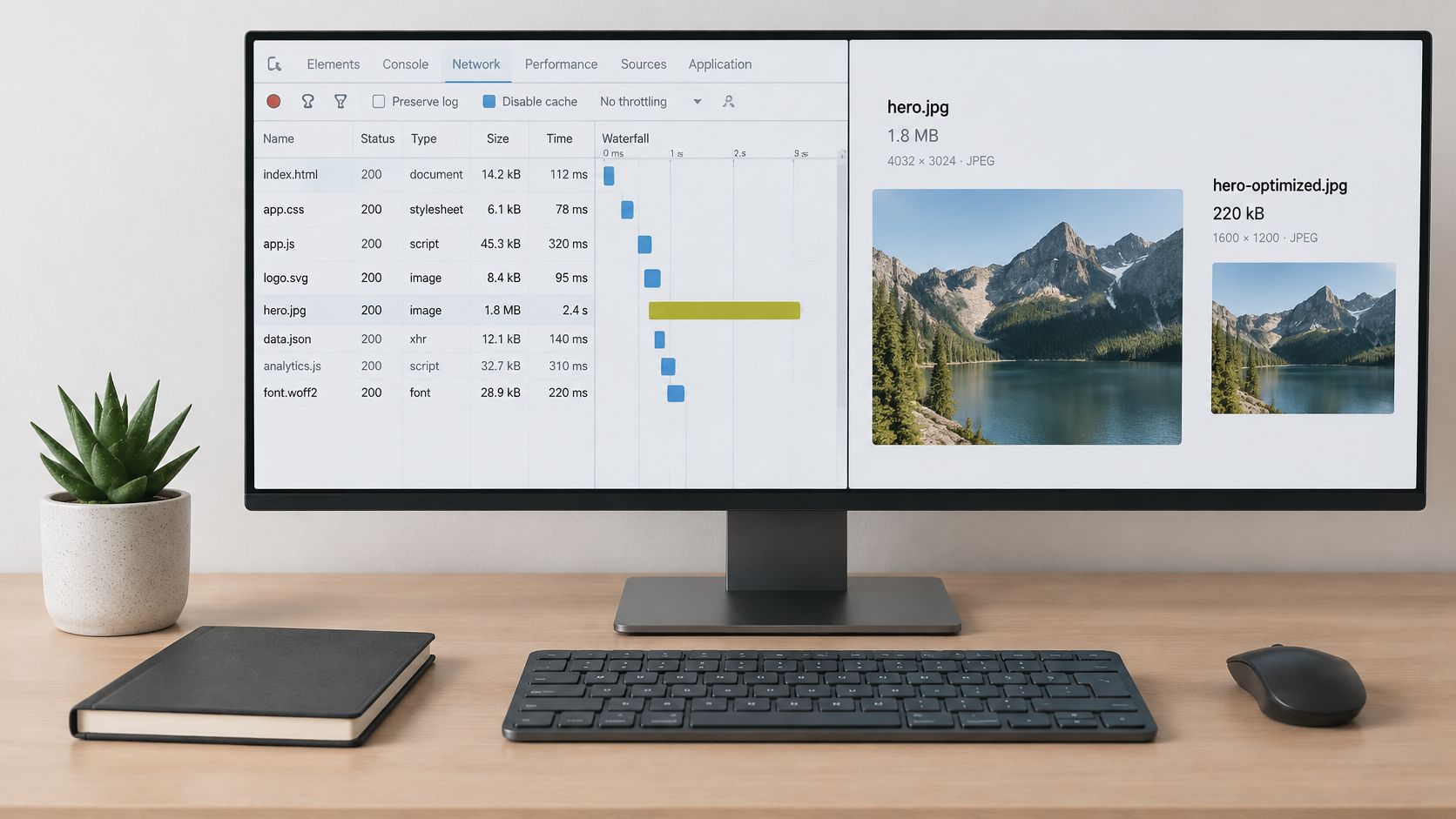
A 4 MB hero image that's lazy loaded makes the browser wait twice. Resize it for the actual display slot, convert it to WebP or AVIF, compress it, preload it and remove lazy loading from that one critical image. Keep lazy loading for images below the first screen, where it saves data without delaying the main content.
For INP, inspect long tasks in the browser performance panel and name every third party script. A chat widget doesn't need to compete with the first tap on a menu or buy button. Load it after primary content or after first interaction, remove vendors nobody owns, and track transfer size and CPU time whenever a tag changes.
Front end teams that need deeper implementation patterns can compare their approach with performance guidance for production front-end teams, but don't let advanced work delay basic image and caching fixes. A hosting upgrade rarely rescues a page carrying uncompressed images, and minifying code won't compensate for a booking widget that blocks the main thread.
A faster server can't make an oversized hero image small. Diagnose the bottleneck before paying to move it.
Protect the Wider Experience
Reserve fixed slots for advertising, video, maps and social embeds so text doesn't jump as those elements arrive. Set width and height attributes on images and use CSS aspect ratio boxes where the final creative may change. These details also support the broader principles in improving website user experience, because stable pages are easier to read and operate.
Change one thing at a time on an important template. Retest under the same conditions, keep the change only if the target metric improves, and record any effect on the other two. Bundling five fixes may improve the score, but it won't tell you which hour of development earned its money.
How to Test Every Release and Keep Accessibility in Scope
Performance work fails when each release uses different devices, pages and success measures. Use a release gate that's short enough for a small team to follow every time. Accessibility belongs inside that gate because heavy, JavaScript dependent controls can delay interaction and exclude people at the same time.
- Repeat the baseline profile: Test the same key templates on a mid range Android profile over slow 4G before the change.
- Change one thing: Isolate each fix so you can attribute movement in LCP, INP or CLS.
- Retest lab and field results: Compare repeat visits as well as first visits, because caching changes the experience for returning customers.
- Apply release budgets: Hold a release that breaches LCP 2.5 seconds, INP 200 milliseconds or CLS 0.1 on a key template unless there's a documented business reason.
- Run automated and manual accessibility checks: Scan each template for WCAG issues, then test keyboard tab order, visible focus, zoom and reflow at 200% and 400%, plus screen reader labels on forms and menus. Automated tools miss many keyboard, cognitive and screen reader defects, so a clean scan isn't proof of compliance.
- Fix blockers first: Prioritise unlabelled form controls, missing alternative text, low contrast, inaccessible menus and layouts that break at narrow widths.
- Retest and assign ownership: Repeat the journey with assistive technology, then publish an accessibility statement naming a remediation owner and deadline.
This discipline should sit inside your normal web design process, not as a separate cleanup after launch. Track issues by severity and template, because a broken checkout label deserves faster action than a decorative image problem on an archive page.
The UK Government Digital Service accessibility monitoring report monitored 1,203 websites and 21 mobile apps and found 26,171 accessibility issues, of which 55.3% of identified issues were fixed overall. Treat that closure rate as context for how much remediation large programmes complete, not as a target to copy.
The commercial exposure is wider than public sector compliance. Retail Times' summary of the 2025 WebAIM Million findings reported detectable WCAG failures on 94.8% of the world's top one million homepages and 71.2 accessibility errors per homepage on online shopping platforms. Semantic HTML, labelled forms and simpler components can improve task completion, crawlability and perceived speed together.
Monitoring Gains Without Drowning in Dashboards
Say a product page passes its checks in January. In March, marketing adds a chat widget for a campaign and mobile INP rises above the budget. Nobody notices until checkout completions dip, because the homepage dashboard still looks healthy. That scenario explains why monitoring must follow templates and journeys, not one sitewide average.
A Cadence Small Teams Can Keep
- Weekly: Review field data for the top revenue journeys and compare mobile with desktop.
- Monthly: Check Search Console for failing URL groups and review every third party vendor, its transfer size and whether anyone still uses it.
- At every release: Compare the changed template with its previous median result under the same test profile.
- Quarterly: Retest the full priority URL list and remove pages or scripts that no longer support a current service or campaign.
Segment by device, template and geography. A strong average can hide a failing product template, slow rural connections or one region served poorly by a third party tool. Set an alert when a key template crosses its budget and name one person who owns the response. Without an owner, an alert is just another ignored email.
Progress across the web shows that passing is realistic with maintenance. Edmonds Commerce's analysis of Chrome User Experience Report data reported that in 2024, 50.5% of websites passed all three Core Web Vitals thresholds, up from 39% in 2022. New widgets, consent updates and campaign tags still cause regressions, so treat each addition as a performance dependency with a cost that someone must approve.
Pick Your First Three Fixes and Measure the Return
Rank the candidate fixes by the journey they protect, then take the top three. Work on the path to payment, booking or enquiry beats cosmetic gains on low intent pages every time. Where one revenue template fails several metrics at once, I'd pick one LCP fix, one INP fix and one stability or accessibility blocker on that template, rather than spreading the effort across three different pages. A checkout form that loses keyboard focus or a pay button that shifts as the page loads costs completions just as surely as a slow server, so count it in the same list.
Price the work before you commission it. A product page with 20,000 monthly mobile visits, a 2% conversion rate and a £60 average order produces 400 orders and £24,000 a month. A cautious 10% uplift adds £2,400 a month, which sets a sensible ceiling for judging development quotes. Plan on the modest scenario, then measure the actual result against visits, conversion rate and revenue. A lab score alone cannot tell you whether the money moved, and a clean test run can pass while real visitors still struggle, so give the numbers time before you judge.
Don't promise the board a revenue uplift from a one second gain. Promise a measured test with a baseline, a budget and a review date.
Your Next Four Actions
- Book the baseline audit this week: Assign one owner and protect half a day for testing.
- Commit three fixes: Give each fix an owner, a metric budget and a completion date.
- Retest after 28 days: Allow field data to catch up before declaring success or failure.
- Review revenue against baseline: Compare completion rate, enquiry quality and sales for the changed journey rather than traffic alone.
Carlos Alba Media, founded and run by former national newspaper editor Carlos Alba, builds performance into web design and development for start ups and SMEs, working alongside SEO and UX. Where there is no in house developer, the team can run the baseline audit, order the fixes by commercial value and carry out the work.
If your revenue pages are slow on mobile, ask Carlos Alba Media to run the baseline audit, rank the fixes by commercial value and retest the work against agreed budgets. Visit Carlos Alba Media to discuss a practical performance plan for your website.