
Website conversion is the process of turning a website visitor into someone who completes a defined business objective, such as buying a product, submitting an enquiry, booking an appointment or signing up for a mailing list. Its conversion rate is normally calculated as completed conversions divided by relevant visitors or sessions, multiplied by 100.
You might be checking your analytics right now and seeing a steady stream of visitors, but few calls, bookings or sales. That can feel like a marketing problem. Before you spend more to attract people, ask what happens after they arrive: can they find what they need, trust what they see and take the next step without friction?
For a small business, that next step isn't always a purchase. It could be a tourism booking request, a consultation enquiry or a useful conversation that later becomes work. The important question isn't how many people visited. It's whether the right people took an action that matters to your business.
What Website Conversion Really Means
Think of your website as a shop window. Someone stops, looks at what you offer, perhaps reads a few pages, then walks away without coming in or getting in touch. The shop window attracted attention, but that visit alone didn't create a sale or start a useful conversation.
Online, conversion is the action you want a visitor to complete. That might mean buying a product, submitting an enquiry, booking an appointment, downloading a resource or joining an email list. The action depends on what your organisation does. A professional services firm may want a suitable prospect to request a consultation; a tourism operator may want a visitor to enquire about availability.
A conversion rate puts those actions in context. Divide the number of completed conversions by the relevant visitors or sessions, then multiply by 100. If you're measuring enquiry forms, for example, use the visitors or sessions that make sense for the question you're asking. A site-wide rate and a rate for a particular landing page answer different questions.

It helps to separate traffic from outcomes. Visitors tell you that people reached the site. Conversions show that some of them completed an action you defined as valuable. A rise in visits might reflect more interest, but it doesn't tell you whether the visitors were the right audience or whether the site helped them act.
The commercial context is clear in the long-term shift towards online shopping. Online sales represented 2.8% of total UK retail sales in November 2006, compared with 29.3% in December 2024, according to the figures discussed in The Telegraph's account of Britain's move to online shopping. For a business, the lesson isn't that every visit should become a sale. It's that a website needs to be judged by what it helps visitors do, not traffic alone.
Conversion is therefore a business discipline, not just a design concern. If you want a practical way to connect those actions to marketing results, explore conversion metrics for better marketing ROI.
Micro and Macro Conversions Compared
A tourism operator's website can produce a week like this. A visitor reads about a guided experience on Monday, returns to check the availability calendar on Wednesday, starts the booking form on Friday and submits it that evening. Four actions, only one of which sits close to revenue. The other three still matter, because they show the journey was working long before the request arrived.
That gap between steps and outcomes is what the micro and macro distinction describes. A macro conversion is the finished commercial action: a purchase, a submitted booking request, an enquiry your sales team can act on. A micro conversion is a smaller signal along the way, such as watching a video, downloading a guide, visiting a pricing page or starting a form.
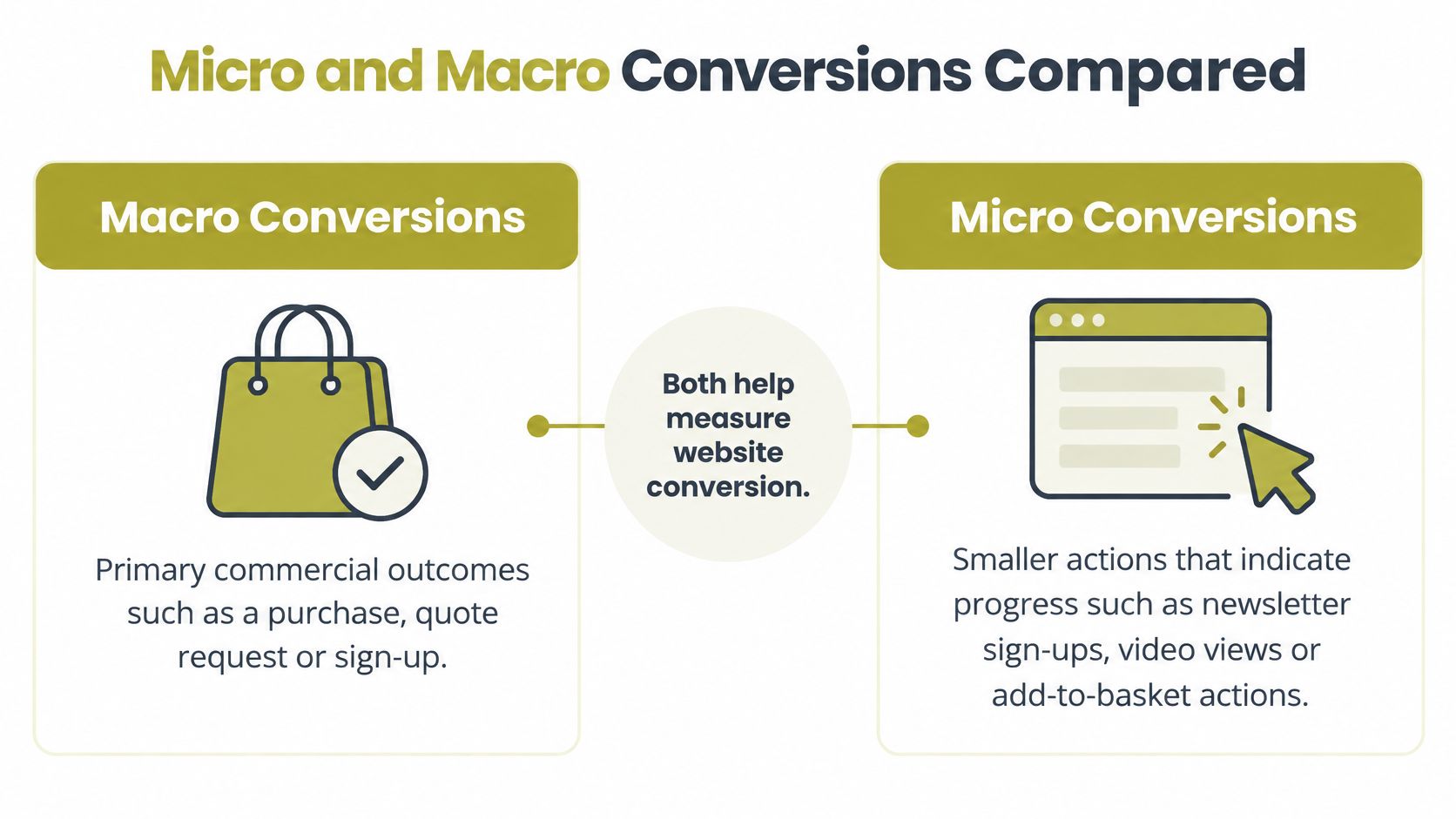
Treat micro conversions as evidence of movement.
A professional services firm makes the point clearly. A prospect might read two articles, download a guide and disappear for six weeks before sending an enquiry. The downloads and page views never paid an invoice. They helped that person decide the firm was worth contacting, and if you count only the final enquiry, you lose sight of what produced it.
Quality outweighs the raw count here. Two hundred guide downloads from students researching a dissertation carry less commercial weight than five enquiries from operations directors with a defined problem. For a consultancy, a tourism operator or a start-up, the macro action has to reflect what the business sells: a call, a consultation, a booking request, a completed application.
| Type | Example | What it helps you understand |
|---|---|---|
| Macro conversion | A purchase, booking request or qualified enquiry | Whether a visitor completed a primary business action |
| Micro conversion | A guide download, video view or form start | Whether a visitor showed interest or progressed towards that action |
The distinction answers a question generic advice often skips: what does website conversion mean for a non-e-commerce SME? For a consultancy the answer might be a booked discovery call. For a holiday-let operator, a confirmed booking request. For an early-stage start-up, a completed pilot application or a newsletter sign-up that starts a longer conversation.
Published e-commerce benchmarks describe completed purchases in online stores, where average rates sit in the low single digits and mobile consistently trails desktop. Those figures cannot tell a B2B firm whether an enquiry was qualified, or tell a tourism operator whether a request became a confirmed booking. A considered purchase behaves differently from a basket checkout, so copying store benchmarks sets the wrong target.
To see which early actions on your own site tend to precede a real outcome, mapping each step of the customer journey shows where interest stalls and where it carries forward.
Conversion Metrics and KPIs That Matter
A dashboard can show plenty of activity while leaving the most important question unanswered: are your website actions producing useful business outcomes? Start with the core measures, then read them together rather than treating any single figure as a verdict.
| Metric | What it measures | Question it answers |
|---|---|---|
| Conversion rate | Completed conversions divided by relevant visitors or sessions, multiplied by 100 | What share of the measured audience completed the chosen action? |
| Completed conversions | The number of people who finished the defined action | How many purchases, enquiries or bookings came through? |
| Conversion value | The value your business assigns to completed actions | Which actions contribute most to commercial goals? |
| Cost per conversion | The marketing cost associated with each completed action | How much are you spending to generate an action? |
| Progression between steps | The share of visitors moving from one defined stage to the next | Where do visitors stop progressing? |
The first two measures aren't interchangeable. Conversion count tells you how many actions happened; conversion rate tells you how common those actions were among the audience you measured. If a form receives more submissions after you bring in more visitors, that doesn't necessarily mean the experience improved. Look at the count alongside the rate and the traffic source.
Value adds another layer. A newsletter sign-up and a qualified enquiry may both count as conversions, but they don't necessarily matter equally to the business. Assigning a sensible value to each action makes reports more useful. Where you can, connect the enquiry to what happened next, rather than treating every submission as a sale.
Practical rule: A form submission is an activity measure. Its business value depends on whether the person is a suitable prospect and what happens after the form.
Cost per conversion can help you understand what it takes to produce an action, but keep its limits in view. If the action is a low-intent download, the cost doesn't tell you whether the visitor will become a customer. Pair that figure with lead quality or later sales outcomes.
Finally, watch how visitors move through the journey. If they reach a booking page but don't submit a request, that points to a different problem than visitors who never open the page. The dashboard becomes more useful when it helps you distinguish commercial value from activity, and locate where progress stalls.
How to Measure Conversions Step by Step
A working measurement system starts with a clear definition, not a dashboard full of events. Use this sequence to make sure the numbers you review connect to what the business is trying to achieve.
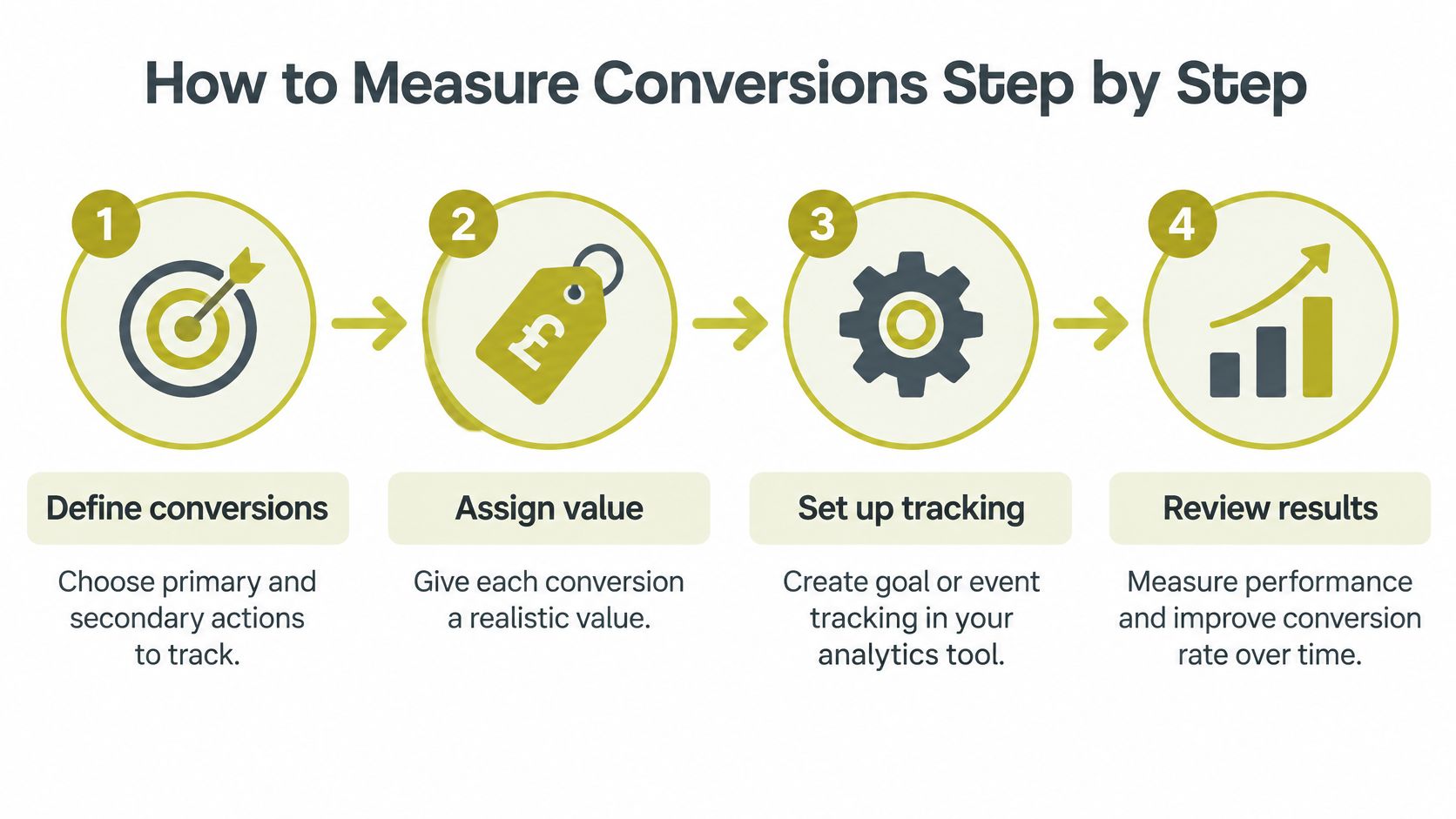
Choose the actions that matter. Name a primary conversion, such as a submitted consultation enquiry, and secondary actions that show progress, such as a guide download or booking-form start. This prevents a useful early signal from being mistaken for the end result.
Assign values with care. Give each action a realistic value that reflects its importance to your organisation. A completed booking and a newsletter sign-up may deserve different treatment. If you don't yet know how an action contributes to revenue, label its value as provisional rather than pretending it is certain.
Set up tracking. Use your analytics platform to record the relevant events, such as a completed form or booking request. Check that each event fires when the action is completed, not merely when a visitor clicks a button. A Google Ads conversion audit from NotFair can provide a reference point when you need to check whether advertising conversions are being recorded as intended.
Review the route to the outcome. Compare results by source, device and landing page. Then check which step visitors reach before they stop. A page that attracts interest but leads to few completed enquiries needs a different investigation from a page that receives little relevant traffic.
Include outcomes beyond the website
Many SME conversions don't finish inside an analytics tool. A visitor may call, reply to an email or speak with your team before becoming a customer. If those outcomes aren't recorded somewhere, online reporting may credit the website with a form submission but miss whether it became a real opportunity.
Link the enquiry to your CRM or another follow-up record. Note whether it was suitable, whether contact was made and whether it led to a sale or booking. You can then judge the website by the quality of the activity it supports, not just the number of forms it collects. Assisted conversions matter too: someone may discover the business through one visit, return later and contact you through another channel.
For a landing-page review, landing page best practices can help focus attention on the message, action and user journey. Set a regular review point and compare the same measures over time, so you can see whether changes improved progress towards outcomes.
Optimisation Principles That Lift Conversion Rates
Sending more visitors to a page that makes action difficult works like pouring water into a leaking bucket. The useful question is where a visitor gets stuck, often on a phone, and what reassurance or information would help them finish the task.
Mobile-friendly design is only a starting point. A page can resize correctly and still leave someone unable to find pricing, check availability, complete a form or decide whether the business is trustworthy. UK mobile usage makes that worth taking seriously: by December 2025, mobile accounted for 61% of GOV.UK visits, compared with 38% on desktop, according to the GOV.UK account of how people used the service in 2025. Those figures describe a public service rather than a commercial site. They still show why phone-based journeys deserve attention.
Wider benchmarks tell a consistent story. Industry studies repeatedly find that visitors on phones convert at lower rates than desktop visitors, and that slow-loading pages push people away before they act. For a professional services firm, a tourism operator or a start-up, the takeaway is different from chasing an e-commerce percentage: make sure people arriving on a small screen can still reach the enquiry, booking or call they came for.
Remove friction where visitors need to act
Make the next step obvious. If you want someone to request a call, use direct language that says what happens when they click. A vague button forces the visitor to guess.
Speed matters because waiting interrupts the task. So does a form that asks for details the team does not need yet. Keep the form focused, label fields clearly and explain what happens after submission. If the action is a call-back or booking request, say what the visitor should expect next and when.
Trust signals should answer real questions. Show relevant information about the service, pricing or availability where people need it. When the wording itself needs work, these practical web copywriting techniques can help you make the action and its value clearer.
When you change a page, change it for a reason and check what happens. A guide to A/B testing best practices can help you compare alternatives on evidence rather than a hunch. Fix clear barriers first. A test is for the questions that remain after the obvious problems are gone.
How to Choose the Right Conversion Support
You don't need to hand every conversion question to an outside specialist. The right arrangement depends on whether your team can define the problem, measure the outcome and make the change.
Compare the options
In-house work can suit a team that already understands its customers and can update pages, forms and analytics. The trade-off is capacity: conversion tasks may compete with other priorities, and a small team may not have all the skills needed to diagnose both content and technical issues.
A specialist agency can bring focused experience in areas such as UX, content, analytics or web development. That can help when the problem crosses several disciplines, but you'll still need someone inside the business to explain what counts as a valuable enquiry and act on what the reporting reveals.
A shared approach often works well for SMEs. An internal owner keeps track of business outcomes and customer feedback, while a specialist helps review the site, improve the journey and set up practical measurement. That keeps the work connected to daily operations rather than leaving the website as an isolated project.
Match support to the problem
If visitors don't understand your offer, start with the message. If they understand it but struggle to complete a form or find the next step, review the experience and the page flow. If enquiries arrive but few turn into work, the issue may be lead quality, follow-up or how the business defines a conversion.
Carlos Alba Media is a Scottish-led PR and digital marketing agency with teams in London and Glasgow. Its work includes web design and development focused on performance and conversion, alongside digital content marketing that brings together SEO, UX and brand strategy. The consultancy was founded and is run by Carlos Alba, a multi award-winning former national newspaper editor. Everyone who works for Carlos Alba Media is a former national news journalist or has agency experience of working with international brands.
That specialist background is relevant when a website needs to make an organisation's offer clear and earn trust. Newsroom experience can inform how content is shaped for a busy reader; agency experience brings a different perspective on brand and marketing work. The choice isn't between a redesign and doing nothing. You can keep ownership of business goals in-house and seek focused help where the work needs specialist expertise.
Your Next Step Toward Better Conversions
Start with the action that matters most to the business. For a professional services firm, that may be a suitable enquiry. For a tourism operator, it might be a booking request. For a start-up, it could be an application or a conversation with a prospective customer.
Then make sure you can follow what happens after that action. Does the visitor get a clear confirmation? Does someone respond to the enquiry? Can your team tell whether it became a real opportunity? If the answer is unclear, improve the tracking and follow-up before drawing conclusions from the headline conversion rate.
The next step is to look at the route, not just the result. Find the page where people are expected to act, check how they arrive there and identify where they stop. A weak result might point to a confusing message, missing information, a form that asks too much or a follow-up process that leaves people waiting. Treat those as questions to investigate, not assumptions about what every visitor wants.
Before you change the site, write down three baseline numbers from your analytics:
- Current conversion rate: the rate for your chosen primary action.
- Main micro conversion: the smaller action that shows useful progress towards it.
- Most valuable macro conversion: the main outcome that matters commercially.
Keep the definitions beside the numbers. If you count a form start as a completed enquiry, the report may look busy while hiding what happened. If you can, connect enquiries to CRM updates or offline follow-up so the measurement reflects outcomes beyond the site.
Once you have that baseline, choose one friction point to address first. That might be a call to action that doesn't say what happens next, a page that leaves a common question unanswered or a mobile form that's awkward to complete. Change the experience with a clear reason, then review whether more of the right visitors reach the action.
If you want a senior, practical review of your website, message and conversion path, bring those findings to Carlos Alba Media. The team offers web design and development, digital content marketing, SEO and UX support to help businesses make the next step clearer for visitors. Visit the site to discuss which part of your journey is making it harder for people to enquire, book or buy.